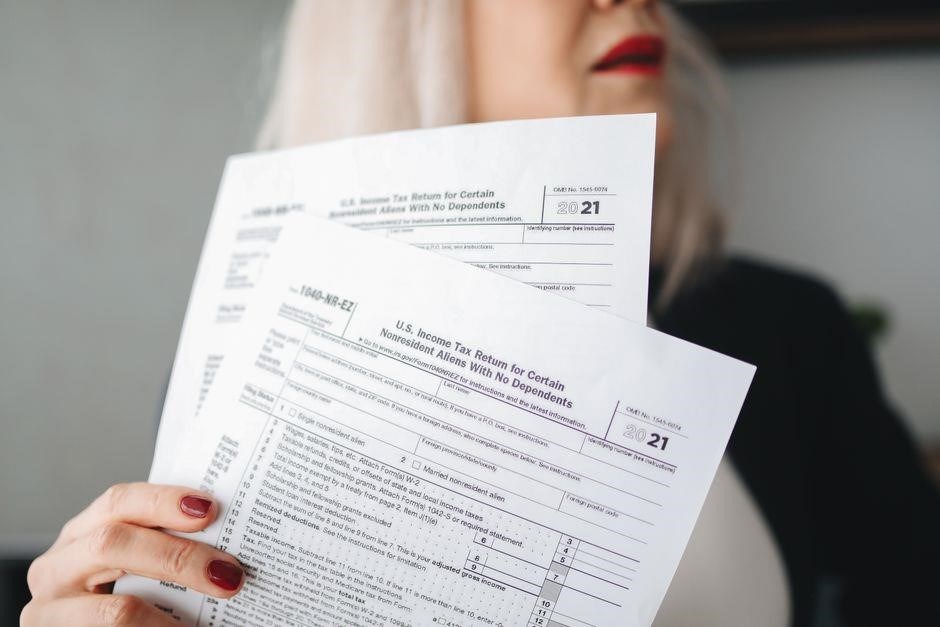
NYC-210 Form 2023 Overview
NYC‑210 2023 is the Claim for New York City School Tax Credit form. Published on 17 Oct 2023‚ it is available as a PDF at https://www.tax.ny.gov/pdf/2023/inc/nyc210_2023_fill_in.pdf. The form requires filing only if you lived in NYC during 2023 and are not filing IT‑201/IT‑203. (e‑filing now!!!)
Title‚ Publication Date‚ and Source URL
NYC‑210 2023 Claim for New York City School Tax Credit is the official form used by residents to claim the school tax credit for the 2023 tax year. The form was published on October 17‚ 2023‚ and is available for download in PDF format at the New York State Department of Taxation and Finance website: https://www.tax.ny.gov/pdf/2023/inc/nyc210_2023_fill_in.pdf. The document is intended for individuals who lived in New York City for any portion of the 2023 calendar year and are not required to file a 2023 Form IT‑201 or IT‑203. It contains instructions for marking eligibility boxes‚ calculating months of residency‚ and determining dependent status. The form is designed to be user‑friendly‚ with clear sections for personal information‚ spouse details‚ and residency calculations. It also includes a signature area for the taxpayer and‚ if applicable‚ the spouse. The PDF is fully searchable and can be printed or filled electronically using compatible software. The Department of Taxation and Finance encourages timely filing to ensure the credit is applied to the correct tax year. For further guidance‚ taxpayers can consult the instructions that accompany the form or contact the department’s customer service. The form is part of the state’s effort to support local education funding through tax incentives for city residents.
Key Fields and Sections of the Form

The NYC‑210 2023 form is organized into distinct sections that guide taxpayers through the credit claim process. The first section requests basic personal data: name‚ Social Security number‚ and mailing address. A signature line follows‚ with an optional spouse signature if filing jointly. Next‚ the form presents a series of eligibility boxes. Line 1 asks whether the taxpayer can be claimed as a dependent on another taxpayer’s federal return; line 3 repeats the question for a spouse. These boxes are marked with “Yes” or “No” and trigger conditional instructions that may disqualify the claim. The residency calculation section requires the taxpayer to enter the number of months lived in New York City during 2023; a similar field exists for the spouse if applicable. The form also includes a note reminding users that the form is only needed if the taxpayer is not filing a 2023 Form IT‑201 or IT‑203. Each field is clearly labeled‚ and the form’s instructions are placed directly above the relevant boxes to reduce confusion. The bottom of the form contains a “Date” field‚ a phone number‚ and an email address for the Department of Taxation and Finance. All required information must be completed accurately to avoid processing delays. The form’s PDF version can be printed or filled electronically‚ and the Department provides guidance on how to submit the completed form either by mail or through their digital filing portal. Taxpayers should double‑check the month counts‚ as the credit is prorated based on residency. The form also includes a section for any additional comments or clarifications that the taxpayer wishes to provide. The form’s layout follows the state’s standard format‚ ensuring compatibility with existing tax software. For those who prefer electronic filing‚ the form can be uploaded to the state’s e‑filing system‚ where it will be automatically validated against the taxpayer’s filing status. The Department also offers a printable version that can be filled out by hand‚ as well as an electronic version that can be completed using PDF editing software‚ ensuring flexibility for all taxpayers. Taxpayers are encouraged to review the instructions carefully before filling out the form to ensure compliance with all eligibility requirements. The form’s instructions clarify that if a spouse is claimed as a dependent on another return‚ the claim is disqualified. It reminds that the credit cannot be claimed if the taxpayer must file a 2023 Form IT‑201 or IT‑203. The Department’s FAQ section addresses about the NYC‑210 form‚ how to calculate months lived.

Eligibility Criteria
NYC‑210 2023 eligibility requires residency in NYC for any part of 2023‚ no filing of Form IT‑201/IT‑203‚ and not being claimed as a dependent on another taxpayer’s federal return. Spouse must also meet similar rules‚ and the credit is prorated by months lived. The credit applies only to qualifying taxpayers.!!!
Residency in New York City
To qualify for the NYC‑210 2023 claim‚ a taxpayer must have lived within the five boroughs of New York City for any portion of the calendar year. The form requires the exact number of months spent in the city‚ which is calculated by counting full months of residence. Partial months are rounded down unless the taxpayer lived in the city for the entire month‚ in which case the month counts fully. Proof of residency can be demonstrated with a lease‚ utility bill‚ bank statement‚ or official government document that lists the New York City address and the dates of occupancy. The taxpayer must have maintained a primary residence in the city; a temporary stay‚ such as a short‑term rental or a hotel‚ does not satisfy the residency requirement. Additionally‚ the address must be within the official city limits‚ not merely a nearby suburb. The form’s instructions clarify that the residency period should exclude any time spent outside the city‚ even if the taxpayer remains a resident of the state. Therefore‚ if a taxpayer moved into the city in March and left in September‚ they would report seven months of residency. Accurate reporting is essential‚ as the credit is prorated based on the months lived in the city during 2023. Failure to meet the residency test disqualifies the taxpayer from claiming the credit‚ regardless of other eligibility factors. The residency requirement is strictly enforced‚ and any misstatement may lead to denial of the credit. Taxpayers should verify their residency dates with official records before submitting. Ok.
Dependent Claiming Rules
The NYC‑210 2023 form explicitly disqualifies a taxpayer from the credit if they can be claimed as a dependent on another taxpayer’s federal return. Line 1 asks whether the taxpayer can be claimed as a dependent; a “Yes” answer immediately disqualifies the claim unless the taxpayer is the spouse of a qualifying surviving spouse. Similarly‚ line 3 inquires about the spouse’s dependent status. If both the taxpayer and the spouse can be claimed as dependents‚ the credit is denied. The form’s instructions clarify that a single filer who is claimed as a dependent on another return cannot file for the credit. A married couple filing separately may still qualify if only one spouse is a dependent; the other must not be claimed elsewhere. In cases where the taxpayer is a qualifying surviving spouse‚ the form allows a claim only if all conditions—including having a dependent child—are met. The key rule is that the taxpayer must not be claimed as a dependent on any other federal return for the 2023 tax year. This requirement is enforced regardless of residency or month calculations. Taxpayers should review their federal filing status and any potential dependent claims before completing the NYC‑210 to avoid automatic disqualification. The form also notes that if a taxpayer is marked as a dependent on another return‚ they must stop and cannot proceed with the credit. Accurate determination of dependent status is therefore critical to a successful claim. The form also provides guidance on how to handle situations where a taxpayer has multiple dependents‚ such as children or elderly relatives‚ and how these relationships affect eligibility. It emphasizes that the taxpayer’s own residency and income levels are secondary to the dependent status rule. In practice‚ many taxpayers overlook this requirement‚ leading to denied credits and potential penalties. Therefore‚ it is advisable to consult the IRS instructions or a tax professional before filing. The NYC‑210 instructions recommend keeping copies of all supporting documents‚ including the taxpayer’s federal return‚ to verify dependent status during audits. By carefully reviewing these details‚ taxpayers can avoid common pitfalls and secure the full benefit of the school tax credit for 2023. Remember‚ the dependent rule is a hard cutoff; no partial credits are available if the rule is violated.

Completing the Form
Fill out each line carefully: mark X in the required boxes‚ enter the number of months you lived in NYC‚ and provide spouse details if applicable. Follow the instructions for marking boxes a‚ b‚ c‚ and d. Double‑check all entries before submitting Check all fields now
Marking Boxes and Eligibility Checks
When completing the NYC‑210 for 2023‚ begin by reviewing the top of the form for the correct year and filing status. The form uses a series of “X” marks to indicate eligibility and to trigger subsequent lines. For line 1‚ you must answer whether you can be claimed as a dependent on another taxpayer’s 2023 federal return. If you select “Yes‚” you must place an X in box a; if “No‚” place an X in box b. The instructions state that if you mark an X in box a and also mark “Yes” at line 1‚ you are disqualified from the credit‚ so double‑check this step. Next‚ line 2 requires you to enter the number of months you lived in New York City during 2023. This figure is critical because the credit amount is prorated based on months lived. The credit amount is prorated based on months lived. If you marked an X in box b on line 1‚ you continue to line 3; otherwise‚ skip to line 5. Line 3 asks the same question for your spouse. Place an X in box c for “Yes” or box d for “No.” The form’s instructions warn that if both you and your spouse are marked “Yes” as dependents‚ you cannot claim the credit. After completing line 3‚ line 4 asks for the number of months your spouse lived in NYC. Finally‚ line 5 summarizes your eligibility and calculates the credit. Pay careful attention to the note that the form should only be used if you are not required to file a 2023 Form IT‑201 or IT‑203. Following these marking rules ensures that the form processes correctly and that you receive the maximum credit you are entitled to. Always double‑check each X and numeric entry before submitting.
Calculating Months Lived in NYC
To determine the number of months you lived in New York City for the 2023 NYC‑210 form‚ follow the instructions on line 2 of the PDF. The form requires a single integer from 1 to 12 that represents the total months of residency within the calendar year. Begin by listing every month you physically resided in the five boroughs‚ even if you moved mid‑month. If you moved into the city on March 15‚ count March as a full month; the form’s note clarifies that partial months are treated as whole months for credit purposes. Likewise‚ if you left the city on October 20‚ count October as a full month. After listing all months‚ simply count them. For example‚ if you lived in NYC from January 1 to December 31‚ you would enter 12. If you lived there from April 1 to September 30‚ you would enter 6. The form also allows you to enter a decimal if you lived in the city for a fraction of a month‚ but the instructions recommend rounding up to the next whole month. Once you have the total‚ type the number into the box to the right of line 2. If you are married and filing separately‚ you must complete a separate calculation for your spouse on line 4. The credit amount is prorated based on the months lived‚ so accurate counting is essential to avoid under‑ or over‑claiming. If you are unsure about a specific month‚ consult the city’s residency guidelines or contact the Department of Taxation and Finance for clarification before finalizing the form.
When calculating months‚ consider any temporary relocations such as a summer job or a short‑term lease. If you spent a week in a neighboring state but lived in NYC for the rest of the month‚ still count the entire month. The form’s note explicitly states that residency is defined by the location of your primary residence‚ not by occasional visits. For tax purposes‚ the Department of Taxation and Finance treats any month in which you had a NYC address as a full month of residency. Therefore‚ even a single night in the city counts. Keep a calendar or a log of your addresses for each month; this record will help you verify your entries if the agency requests documentation. Accurate month counts ensure the credit reflects your true residency and prevent potential audits.

Submission Process
Mail or e‑file the NYC‑210 form to the Department of Taxation and Finance. Sign‚ date‚ and attach required documents. For mailing‚ use 20‑02‑01‑01‚ 1st Floor‚ 20th Street‚ Albany‚ NY 12210. Online filing is available via the NY State portal for quicker processing. Submit.

Where to File the Completed Form
To submit the completed NYC‑210 form‚ you have two main options: paper filing and electronic filing. For paper submissions‚ mail the signed form to the New York State Department of Taxation and Finance‚ 20‑02‑01‑01‚ 1st Floor‚ 20th Street‚ Albany‚ NY 12210. Ensure the envelope is postmarked by the filing deadline and include any required supporting documents. For electronic filing‚ log into the NY State portal at https://www.tax.ny.gov/‚ navigate to the “School Tax Credit” section‚ and upload the PDF. The portal will validate the form and provide a confirmation receipt. Both methods require the taxpayer’s signature and the correct tax year. If you choose paper‚ consider using certified mail to track delivery. For e‑filing‚ you must have a valid NY State tax ID and be registered for the portal. After submission‚ keep a copy of the signed form and any confirmation for your records. The Department will process the claim and issue a credit adjustment on your 2023 tax return. If you have questions‚ contact the Department’s customer service line at 518‑457‑5000 or email taxhelp@tax.ny.gov. Follow the instructions carefully to avoid delays or rejections. Good luck! Remember to keep the original signed form in a safe place‚ as the Department may request it for verification. If you file electronically‚ you will receive a PDF receipt; save it for your records. The credit is applied directly to your NY state tax liability‚ reducing the amount owed. Always double‑check your math before submitting.
Digital Filing Options
NYC‑210 2023 can be filed electronically through the New York State Department of Taxation and Finance portal. Log in to https://www.tax.ny.gov/‚ select “School Tax Credit” and upload the completed PDF. The system validates the form‚ checks for missing data‚ and issues a confirmation receipt. You will receive a PDF copy of the submission for your records. Alternatively‚ use the “e‑Filing” feature in the NYS e‑Tax portal‚ which accepts the form in XML or PDF format. The portal will compute the credit amount and apply it to your 2023 tax return. If you prefer‚ you can also file through a certified tax software that supports NYC‑210. These programs automatically populate the form fields‚ validate eligibility‚ and submit the data to the state. All electronic submissions must include your NYS tax ID and a digital signature. The deadline for electronic filing is the same as the paper filing deadline. After submission‚ the Department will send a confirmation email with a reference number. Keep this number for future inquiries. If you encounter errors‚ the portal provides a troubleshooting guide and a live chat support option. Digital filing is faster‚ reduces paper waste‚ and ensures immediate acknowledgment of receipt. It also allows you to track the status of your claim in real time. For detailed instructions‚ refer to the “NYC‑210 Filing Guide” on the Department’s website. Remember to verify that your form is fully completed before uploading to avoid rejection. When filing digitally‚ you must ensure that the PDF is not password protected and that all required fields are filled. The system will flag any incomplete boxes‚ such as missing dependent information or incorrect month counts. After successful upload‚ the portal will display a “Submission Successful” banner and provide a unique transaction ID. Store this ID in a secure location. If you need to amend the filing‚ you can do so by logging back into the portal‚ selecting the “Amend” option‚ and uploading a revised PDF. The Department will process the amendment within 7 business days. For taxpayers who prefer a hybrid approach‚ you can print the PDF‚ sign it‚ and then scan the signed copy to upload. This method satisfies the signature requirement while still leveraging digital convenience. The Department also accepts fax submissions to 518‑457‑5000‚ but this is less common. Always keep a backup of the original PDF and any scanned copies. Digital filing reduces the risk of lost paperwork and speeds up credit processing‚ often resulting in a quicker refund or lower tax liability. Finally‚ verify that your internet connection is secure before uploading sensitive personal information.

Common Errors to Avoid
Common mistakes include misreporting dependent status‚ failing to mark the correct box for residency‚ entering an incorrect month count‚ and omitting required signature. Double-check each line‚ ensure the “Yes” or “No” boxes match your situation‚ and confirm the month total matches your NYC stay!!!.
Misreporting Dependent Status
Misreporting dependent status on the NYC‑210 form can invalidate the entire credit claim. The form’s first line asks whether the filer can be claimed as a dependent on another taxpayer’s 2023 federal return. A simple “Yes” or “No” must be marked‚ but the nuance lies in the interaction with subsequent lines. If a filer answers “Yes” on line 1 and also marks “Yes” on line 3 for a spouse‚ the instructions explicitly state that the filer does not qualify for the credit. This double‑dependent rule is designed to prevent overlapping claims and to ensure that only one taxpayer receives the benefit for a given dependent.
To avoid this error‚ first verify your own dependency status on the federal return. If you are claimed as a dependent‚ you must check the box and then stop the process; no further lines are required. If you are not claimed‚ proceed to line 2 to enter the number of months lived in NYC. For married filers‚ line 3 asks about the spouse’s dependency status. If the spouse is also a dependent‚ the same disqualification applies. However‚ if only one of the spouses is a dependent‚ the form allows continuation to line 4‚ where the spouse’s months of residency are entered.
The key to accuracy is consistency between the federal return and the NYC‑210. A common oversight is to overlook the “stop” instruction after marking “Yes” on line 1. Many taxpayers inadvertently continue to line 5‚ believing the form is still valid. In reality‚ the credit is denied‚ and the form should be returned or corrected. Additionally‚ some filers misinterpret the term “dependent” to include a child who is not claimed on the federal return‚ leading to a false “Yes” answer. Always cross‑reference the federal dependency worksheet before marking the box.
If a mistake is discovered after submission‚ the taxpayer can file an amended claim. The Department of Taxation and Finance provides a specific procedure for corrections‚ which includes submitting a new form with a clear explanation of the error. Prompt correction mitigates potential penalties and ensures the credit is applied correctly. In summary‚ meticulous attention to the dependency questions‚ adherence to the stop instructions‚ and timely amendments are essential to prevent misreporting dependent status on the NYC‑210 form.
Remember‚ the dependency question is not just about who claims you; it also considers whether you provide more than half of your own support. If you meet that threshold‚ you are not a dependent‚ even if someone else lists you. Clarifying this point early can save you from a costly misstep.